
Why Geo-Targeted Routing Matters
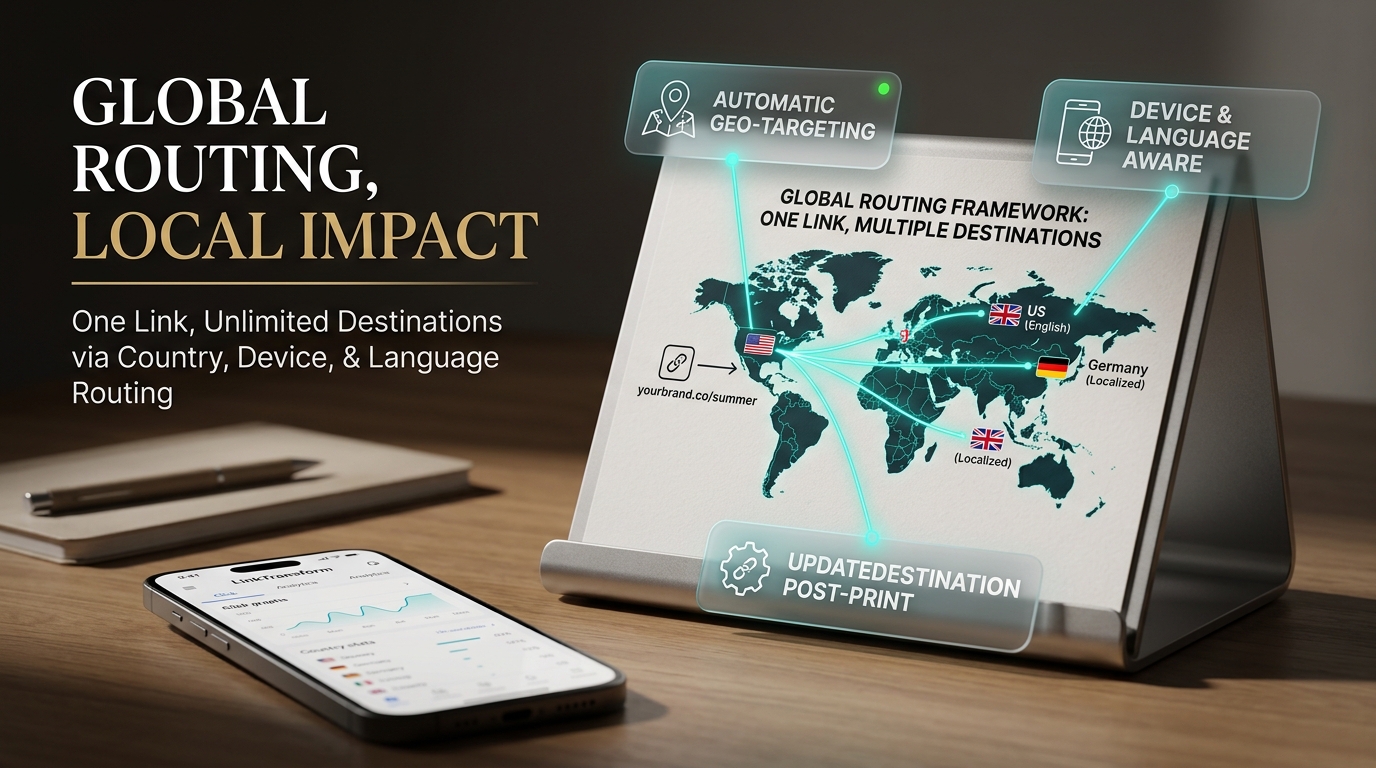
When you share one URL globally — on social, in email, on a QR code, or inside a link-in-bio — you lose context. A visitor from Berlin and a visitor from Boston both see the same landing page, even though currency, language, regulations, and inventory may differ. Geo-targeted link routing fixes that at the link level: one URL, multiple destinations, automatic redirection by the user's country at the moment of the click.
LinkTransform bundles geo + device + language targeting into its $19/mo plan — capabilities competitors gate behind $199/mo+ tiers.
Step-by-Step: Set Up Country Routing in LinkTransform
Quick note: create or open an existing branded link before adding targeting rules. The rules apply to the link's redirect behavior — they don't change the link URL itself.
Step 1 — Create (or open) your branded link
In your LinkTransform dashboard, click New Link or select an existing branded link. Use your custom domain (e.g., yourbrand.co/summer) so the URL looks professional regardless of where it routes.
Step 2 — Open Advanced Targeting
Inside the link editor, navigate to the Advanced Targeting section (also labeled Smart Targeting in some views). This is where geo, device, and language rules live.
Step 3 — Add country-level rules
Click Add Rule and select Country as the condition. Choose the country (e.g., United States, Germany, Japan) and set the destination URL for that country. Repeat for each country you want to route separately.
Example setup:
- United States →
https://yourstore.com/us/shop - United Kingdom →
https://yourstore.com/uk/shop - Germany →
https://yourstore.com/de/shop - Default / all others →
https://yourstore.com/global/shop
Step 4 — Set a default fallback
Always define a default destination for countries you haven't explicitly mapped. This ensures no visitor hits a dead end. The default usually points to your global or English-language page.
Step 5 — Save and test
Click Save, then test the link using the preview function or by clicking from a different location (VPN or browser dev-tools emulate location). Confirm each country rule routes to the correct URL.
Step 6 — Monitor routing performance
In your analytics dashboard, filter clicks by country and compare click-through rates per destination. Adjust rules if a high-click country is sending users to the wrong page (e.g., EU visitors missing GDPR-ready landing pages).
What the Feature Includes (Beyond Geo)
The same Advanced Targeting panel also supports:
- Device targeting — route iOS users to the App Store and Android users to Google Play from the same link.
- Language targeting — serve localized content based on the visitor's browser language.
- Combined rules — e.g., "Germany + mobile" routes to a German mobile checkout page.
LinkTransform includes all three dimensions at $19/mo. Competitor equivalents require much higher tiers: Bitly only offers partial geo/device data at Premium ($199–$300/mo), with language targeting unavailable at any tier; Rebrandly's Traffic Routing (geo + device) requires Professional ($32/mo) or Growth ($99/mo) plans.
Real-World Use Cases for Geo Routing
E-commerce (global store): One link in an Instagram bio routes US visitors to the .com store, UK visitors to the .co.uk store, and EU visitors to a GDPR-compliant landing page — all from the same branded URL.
SaaS (localized onboarding): A demo-request link routes EU leads to a GDPR-ready form and US leads to a standard signup, improving compliance and conversion in one move.
App promotion (multi-platform): A single QR code on a print flyer routes iOS users to the App Store and Android users to Google Play — then adds country-level store localization on top.
What This Would Cost Elsewhere
| Feature | LinkTransform ($19/mo) | Bitly | Rebrandly |
|---|---|---|---|
| Geo targeting (routing by country) | Included | Premium only ($199–$300/mo) | Professional+ ($32–$99/mo) |
| Device targeting (routing by device) | Included | Premium only (partial) | Professional+ ($32–$99/mo) |
| Language targeting (routing by language) | Included | Not offered at any tier | Analytics only, not routing |
| Custom branded domains | Included | Premium ($199/mo) | Professional ($32/mo) |
Competitor pricing and feature availability verified against official pricing pages as of August 2026.
Frequently Asked Questions
Does geo routing work with dynamic QR codes?
Yes. A dynamic QR code linked to a geo-routed URL will redirect based on the scanner's country, just like any other click.
Can I route by region instead of country?
LinkTransform supports country-level rules. For finer region-level control, combine country rules with device and language targeting — or use separate links with region-specific rules.
What happens if a country isn't mapped?
The link uses the default fallback URL you set. Always configure a default so no visitor lands on an error page.
Does this work for EU GDPR compliance?
Yes. Route EU-country clicks (DE, FR, IT, ES, NL, etc.) to a GDPR-ready landing page and non-EU clicks to your standard page — one link, automatic compliance split.
Can I change country rules after the link is live?
Yes. Rules are editable at any time without changing the link URL. Updates apply instantly — no need to reprint QR codes or update bio links.
Route Every Visitor to the Right Page
Geo, device, and language targeting included at $19/mo — not $199/mo.
Get Started — $19/moIncludes custom branded links, dynamic QR codes, analytics, A/B rotators, targeting, and 1M tracked clicks/mo.