How to Add a Custom Logo and Colors to QR Codes — And Track Every Scan That Comes From Them
Print a generic black-and-white QR code and anyone can scan it. But ask yourself: does it look like something your brand would stand behind? Most QR codes in the wild are ugly gray blips pasted at the bottom of marketing materials — functional, forgettable, and frankly embarrassing.
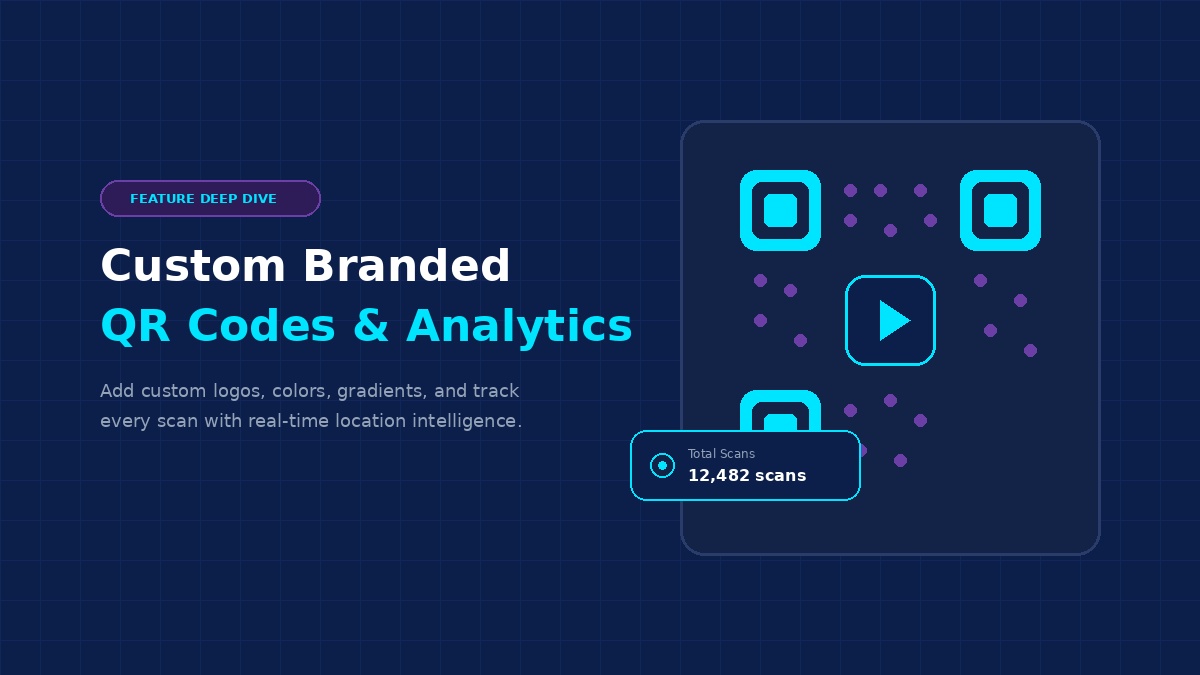
A customized QR code with your logo, brand colors, or even a gradient blend doesn't just look better. It scans more often because people trust it. Branded QR codes signal intentionality, professionalism, and effort — subtle psychological signals that make the difference between someone ignoring your code and tapping it.
And here's the critical part: if you're going to invest design effort into a QR code, you should know exactly what happens when someone scans it. Where. On what device. At what time. That's where LinkTransform earns its place in your toolkit.
The Problem With QR Code Customization Today
If you've tried to customize a QR code anywhere in the last 12 months, you've probably hit one of these walls:
- 🧱 Wall #1 — Customize freely but lose tracking. Tools like QRCode Monkey give you beautiful customization — custom colors, logo overlay, gradient fills, shape variations — completely free. The catch? You get static QR codes. No analytics. No ability to edit the destination after printing. Once that poster is on the wall, you're flying blind.
- 🧱 Wall #2 — Want tracking? Pay a premium. QR Code Chimp, QR Stack, and similar platforms let you customize QR codes AND track scans. But you need a paid plan. QR Code Chimp starts around $12/month with limited customization. QRCodeStack locks city-level analytics behind a $29/month plan.
- 🧱 Wall #3 — The Big Player charges absurdly. Bitly's Growth tier ($29/month) gives you 10 QR codes per month with basic color customization. Their Premium tier ($199/month) unlocks city-level analytics. For a small business that just wants branded QR codes with decent tracking, the math doesn't work.
- 🧱 Wall #4 — Free trials mean dead QR codes later. Many services let you create beautifully customized dynamic QR codes, but when the trial ends or subscription lapses, the redirect stops working. A printed menu with 500 copies becomes a worthless brick overnight.
LinkTransform was built to smash through all four walls simultaneously.
How to Customize Your QR Codes in LinkTransform (Step by Step)
LinkTransform's QR editor is one of the most capable you'll find — and it's all included at $19/month flat. Here's the actual workflow:
Step 1: Enter Your Content
Go to the QR Code Generator on LinkTransform. Choose your content type — URL is the most common (your website, product page, landing page, menu, whatever). Or select from 14+ other types: vCard for digital business cards, WiFi for guest networks, SMS for text campaigns, Event for calendar invites, and more.
Toggle Dynamic mode. This is what enables tracking and post-print editing. Without dynamic mode, the QR code is static — permanent but untrackable and uneditable. Always use dynamic for marketing purposes.
Step 2: Customize Colors
Click the color panel on the right side of the editor. Here you can:
- Pick your foreground color — replace the default black with your brand color. Blue, green, red, purple — whatever fits. Just maintain sufficient contrast against your background for reliable scanning.
- Pick your background color — white isn't mandatory. Try light gray, cream, or even a subtle brand tint for a polished look.
- Create a gradient — this is where LinkTransform pulls ahead of every competitor. Choose diagonal, radial, or horizontal gradients blending any two colors. A navy-to-teal gradient matrix on a white background looks significantly more premium than solid black.
- Style the finder corners — the three large squares in the corners (top-left, top-right, bottom-left). Switch between square, rounded, or dot shapes. Color them independently from the matrix if your brand demands it.
Step 3: Add Your Logo
Click the logo panel. Upload your company logo (PNG, JPG, or SVG — transparent backgrounds work best). Position it dead center in the QR code. Adjust its size and padding margin so the logo sits cleanly inside the pattern without interfering with scannability.
LinkTransform uses high error correction levels automatically when a logo is detected, ensuring the code remains readable even with a substantial logo overlay. As a rule, your logo should cover no more than 30% of the QR area. Larger logos risk making the code unsolvable by some readers.
Step 4: Add Frames (Optional)
Frames turn your QR code into a complete marketing graphic. Place your logo and a brief call-to-action inside the frame — "Scan for Menu", "Get Started", "Follow Us" — and you have a ready-to-print asset for flyers, packaging, business cards, or storefront windows.
Step 5: Choose Size & Format
Select your output resolution: small (256px), medium (512px), or large. For screen use, PNG at 512px is plenty. For professional print, export as SVG — true vector graphics that scale to any dimension without quality loss. WebP offers the smallest file size for web delivery.
LinkTransform vs. The Competition — QR Features Comparison
Don't take our word for it. Compare the facts:
| Feature | QR Code Monkey | QRCake (Standard $5/mo) | QRCodeChimp ($12/mo) | LinkTransform ($19/mo) |
|---|---|---|---|---|
| QR Codes Included | Unlimited (static only) | 10 dynamic | ~50 dynamic | Unlimited dynamic |
| Custom Logo | ✅ Yes (free) | ❌ No | ✅ Yes ($12+/mo) | ✅ Yes — included |
| Gradient Colors | ✅ Yes (free) | ❌ Solid only | ✅ Yes | ✅ Diagonal, radial, horizontal |
| Frames & Edges | ❌ No | ❌ No | ✅ Limited | ✅ Full frame editor |
| Scan Analytics | ❌ None (static) | ✅ Basic (country, device, time) | ✅ Full | ✅ Full — geo + device + time + unique |
| Geo/City Tracking | ❌ None | ✅ Country level | ✅ City + country | ✅ City + country |
| Editable After Print | ❌ No (static) | ✅ Yes | ✅ Yes | ✅ Yes — and free scans have no ads |
| Data Retention | N/A | ~1–2 years | Plan-dependent | 365 days |
| Monthly Cost | $0 (but no tracking) | $5/mo ($60/yr) | $12+/mo ($144+/yr) | $19/mo ($228/yr) — EVERYTHING |
The spreadsheet tells the story clearly: you're paying for QR customization on one platform and analytics on another. LinkTransform combines both — plus everything else a modern link management workflow requires — at a single price that undercuts most individual tool subscriptions.
But Design Is Half the Battle — Tracking Is the Other Half
Making a pretty QR code means nothing if you can't measure whether it's working. Let's talk about what happens when someone actually scans your code.
Every scan of a LinkTransform dynamic QR code generates a rich data profile in real time:
📍 Geographic Location (Country & City)
We resolve each scanner's IP address using MaxMind GeoIP to determine country and city. Put a QR code on flyers in Brooklyn and scans from Queens confirms your placement strategy worked. See scans from London on a Manhattan-only campaign and you know the image got screenshotted and shared globally — a positive signal, not a problem.
Same geo-tracking power that QR Planet charges €15/month for. Built in.
📱 Device Type, OS & Browser
Mobile phone vs. tablet vs. desktop. iOS vs. Android. Chrome vs. Safari. Every scan reports the user-agent string. If 78% of your QR scanners are on Android and your landing page is broken on Chrome Mobile, you just discovered why your conversion rate is tanking — before spending weeks guessing.
⏰ Time-of-Day & Date Patterns
Your dashboard shows hourly and daily distribution charts. Restaurant QR codes typically peak at lunch (12 PM – 1 PM) and dinner (6 PM – 8 PM). Trade show badges spike during event hours and die after. E-commerce product packaging sees weekend scan surges. These patterns tell you when to post matching content on social media and when to restock physical materials.
👤 Unique vs. Total Scans
Total scans counts every event. Unique scans counts distinct devices. A high total-to-unique ratio means strong repeat engagement (think: a laminated menu that gets scanned multiple times per table). A ratio near 1:1 means broad reach with single touches (think: outdoor advertising). Both numbers matter for different decisions.
🔗 Smart Routing & Personalization
LinkTransform goes beyond passive tracking. Set up smart routing rules on your QR codes:
- Route iOS scanners to the App Store and Android scanners to Google Play — one QR code, two destinations
- Show English content to US scanners and Spanish content to Mexican scanners — automatic language detection
- Display daytime content versus nighttime content — great for bars, restaurants, and 24-hour venues
- Rotate through multiple destinations during scheduled windows for A/B tested landing pages
None of these routing features require technical skills. They're configuration toggles in your dashboard. And they're all included in $19/month.
Migrating From Your Current QR Tool
Moving away from your current QR code platform sounds harder than it is. LinkTransform makes it trivial:
Method 1: CSV Bulk Import (Recommended for Most Users)
Export your existing links from your current platform. Upload the CSV to LinkTransform. Everything imports automatically. Your QR codes continue working because the underlying redirects haven't changed — you're just getting the analytics and customization you were missing.
Method 2: API Migration (For Developers & Large Libraries)
LinkTransform's REST API supports programmatic bulk creation of links, QR codes, campaigns, and analytics sync. Automate your entire migration with scripts. Most engineering teams complete a 1,000-code migration in under an hour.
Zero Downtime Guarantee
Your existing QR codes encode short links through your current provider. Those links keep resolving during migration. Flip over at your own pace. Your customers never see a broken redirect. Nobody notices you switched.
The Bottom Line
You deserve a QR code tool that does three things well and charges one fair price:
Design like it belongs in your brand guidelines — logo, colors, gradients, frames. All in a drag-and-drop editor that renders changes instantly.
Track like a professional analytics platform — geographic location, device breakdown, time-of-day patterns, unique visitor counts. Real-time. Not sampled. Not batch-processed.
Cost like a startup that actually understands small business economics — $19/month flat. Unlimited everything. No hidden tiers. No surprise fees. No forced annual contracts.
That's LinkTransform. Start building your branded, trackable, customizable QR codes today — with a 14-day free trial that requires no credit card.
Frequently Asked Questions
Can I add my own logo and brand colors to QR codes?
Yes — and you should. A plain black-and-white QR code works. But a QR code with your logo, your brand colors, or even a gradient blend looks like a marketing asset, not an afterthought. Branded QR codes get measurably higher scan rates because they feel intentional and trustworthy.
LinkTransform's QR editor lets you upload your logo (centered, adjustable size), pick any foreground/background colors, apply linear or radial gradients, style the finder corners, and add branded frames — all in one interface, all included at $19/month.
What is the best QR code generator with no scan limits or expiration?
QR Code Monkey offers free static codes forever with full customization, but no tracking or editability. QR Cake offers 5 free dynamic codes with unlimited scans that don't expire (but free scans show an ad). QR Planet requires a 3-month minimum at €5/month for basic tracking.
LinkTransform delivers unlimited dynamic QR codes with unlimited tracked scans, full customization, zero ads, codes that never expire, and no minimum commitment — all at $19/month flat. The closest free alternative (QR Code Monkey) gives you nothing back in terms of data. The cheapest paid tracker with equivalent features typically costs $12–35/month and still caps your total codes.
How do I track QR code scans by geographic location, device type, and time?
When someone scans a LinkTransform dynamic QR code, their phone hits our redirect server before loading your destination. We log the scanner's IP (resolved to country and city via MaxMind), user-agent string (device type, OS, browser), exact timestamp, and unique scan status — all in real time, visible immediately in your dashboard.
This same infrastructure powers QRPlanet's premium plans (€15/month+) and QRCodeChimp's full analytics tier ($12+/month). On LinkTransform, it's foundational — included at every paid tier.
How does LinkTransform compare to Bitly for QR codes?
Bitly's Growth tier ($29/month) caps you at 10 QR codes per month with basic color customization only. Their Premium tier ($199/month) unlocks city-level analytics. LinkTransform gives you unlimited dynamic QR codes, full logo/color/gradient/frame customization, city-level geo tracking, device and time analytics, and more — all at $19/month. The math is straightforward: $228/year for everything vs. $348/year just for Bitly Growth with far fewer QR codes.
Are there affordable QR code generators for small businesses that include tracking?
Yes. LinkTransform at $19/month flat includes unlimited QR codes, full customization, complete scan analytics (geo, device, time), bio pages, link shortening, developer API, and campaign reporting. No feature segmentation. No add-ons. No tiers. Compare this to buying separate subscriptions: QR customization tool ($12/mo) + link shortener ($10/mo) + bio page builder ($8/mo) = $30/mo for fragmented functionality.
Can I update my QR code destination after printing?
That's the whole reason dynamic QR codes exist. Static QR codes bake your raw URL into the pixel pattern — unchangeable. Dynamic QR codes encode a redirect link (lt.to/abc123) that you control. Edit the destination from your dashboard and every printed code instantly follows. Zero downtime, zero reprint costs.
What QR code formats does LinkTransform support?
14+ formats including URL, vCard, WiFi, Email, SMS, Phone Call, Event, App Store, YouTube, Social Media, Plain Text, and File Download. Every format works in both static and dynamic modes, so any code you create can be tracked and edited after printing.
Is LinkTransform really $19/month for everything?
Yes. One price. All features included. No tiers. No add-ons. No hidden fees. Unlimited links, QR codes, scans, bio pages, analytics history (365 days), API access, campaign organization, and smart routing rules — all in one subscription.
How easy is it to migrate from Bitly or another QR tool?
Two paths. Bulk CSV import for everyone — export from your current platform, upload to LinkTransform, done in minutes. API access for developers who need programmatic migration at scale. Either way, existing QR codes continue redirecting normally during transition. Zero downtime. Zero broken links.